
What's changed this season in budget gaming gear
The budget gaming accessory market in 2026 has matured significantly. Modern affordable peripherals now include features once reserved for premium products: mechanical switches in sub-$80 keyboards, wireless connectivity on sub-$40 mice, and active noise cancellation on budget headsets. The shift reflects increased competition and manufacturing efficiency, meaning gamers on tight budgets no longer sacrifice performance. Budget-friendly options from major manufacturers have become genuinely competitive, with many sub-$100 keyboards and mice performing identically to their pricier counterparts in real-world gaming. This season, the focus for budget buyers should be on matching your accessory tier to your PC's GPU—a $500 gaming build deserves peripherals in the $150–300 range, not premium $400+ gear that your system cannot fully leverage.




How to choose: specs and materials that matter
When shopping for budget gaming keyboards, prioritize mechanical switches over membrane; they're more durable and provide better feedback. Look for switches rated for 50+ million keystrokes—a sign of longevity. For mice, grip style matters far more than DPI; buy one that fits your hand first, then worry about sensor specs. A 3200 DPI sensor is sufficient for most gaming; anything beyond 16,000 DPI is marketing fluff on a budget mouse. Headsets should emphasize comfort and sound balance over flashy RGB lighting. Check ear cup padding thickness, headband adjustability, and cable quality—budget headsets fail most often at the connector. Gaming chairs need a solid steel frame, gas cylinder rated for at least 100,000 cycles, and genuine leather or fabric that won't peel within a year. Avoid chairs with excessive recline marketing; look instead for lower lumbar support and good seat depth. Desks should have a minimum 24-inch depth for keyboard, mouse and monitor space, with a sturdy frame that doesn't wobble under keyboard and mouse movement.
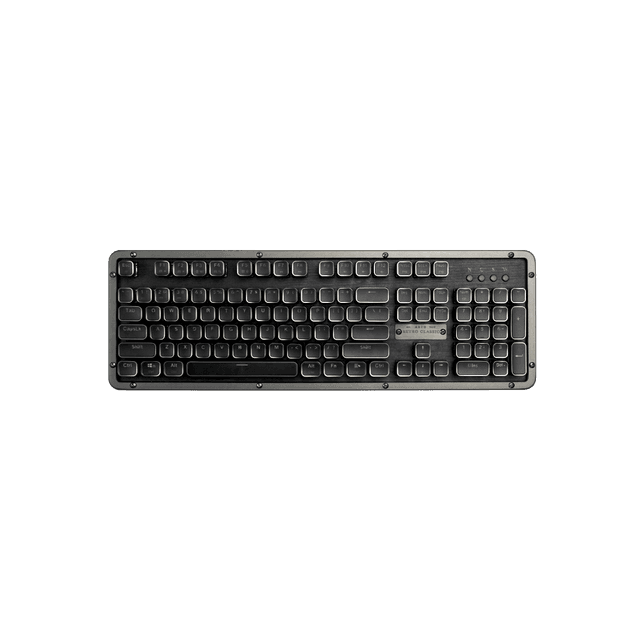 RC Prestige KeyboardAZIO Corporation · $209.99
![A4 Pro RGB Gaming Desk [⚡Free Extended Mouse Pad⚡]](/_next/image?url=%2Fanh-hang%2Fautofull-eu%2F1.webp&w=640&q=75) A4 Pro RGB Gaming Desk [⚡Free Extended Mouse Pad⚡]autofull.eu · $599.99
A4 Pro RGB Gaming Desk [⚡Free Extended Mouse Pad⚡]autofull.eu · $599.99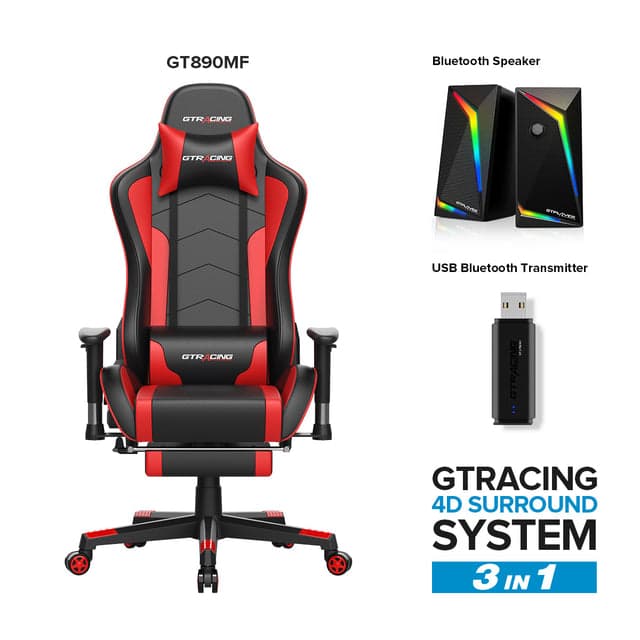 GT Lynck System Pro GT890MF EditionGTRacing · $219.99
What to skip without losing performance
Skip wireless connectivity on budget mice and keyboards unless you specifically need it; wired versions cost $15–30 less and eliminate battery anxiety. Avoid RGB lighting entirely—it adds $20–40 to the price and drains battery life on wireless gear. You won't miss it. Mechanical keyboard hot-swappability is nice to have but not essential for gamers on budgets; most people never swap switches. Don't pay extra for gaming-branded esports fonts or synthetic leather on chairs; standard fabric breathes better and lasts longer. Gaming desks marketed specifically for gaming cost 50% more than generic adjustable-height or fixed desks with identical specs. Programmable macro keys on budget mice and keyboards are often gimmicks; basic models with five to eight programmable buttons cover all gaming needs. Headset wireless charging or premium materials like memory foam padding rarely justify their price premium in the $50–100 range. Budget microphones built into headsets are notoriously poor; use push-to-talk in games or accept that your teammates will hear your keyboard clicks. Active noise cancellation on budget headsets is usually ineffective; passive isolation through good seal and padding works better and costs less.
Which brand fits your budget and gaming style
AZIO Corporation offers keyboards and mice specifically built for gaming at competitive prices, making them a solid choice for builders prioritizing input devices. For gamers investing in a dedicated chair and desk setup, autofull.eu provides gaming chairs that balance comfort and durability without premium pricing. GTRacing specializes in gaming furniture including chairs and desks, offering bundles and financing options for budget builders who want a complete setup. For pure peripherals—keyboards, mice, headsets—budget options from Logitech, Corsair, and SteelSeries dominate the sub-$80 market. The Logitech G305 wireless mouse and Corsair K60 RGB keyboard are benchmarks for affordability. If you prioritize comfort and long sessions, allocate more budget to your chair—spending $150–200 here prevents back and neck pain that $30 chairs cause within months. Competitive gamers should prioritize low-latency mice and keyboards, even if it means a cheaper chair. Casual gamers can invert this: a good chair matters more than a 1ms mouse response time.
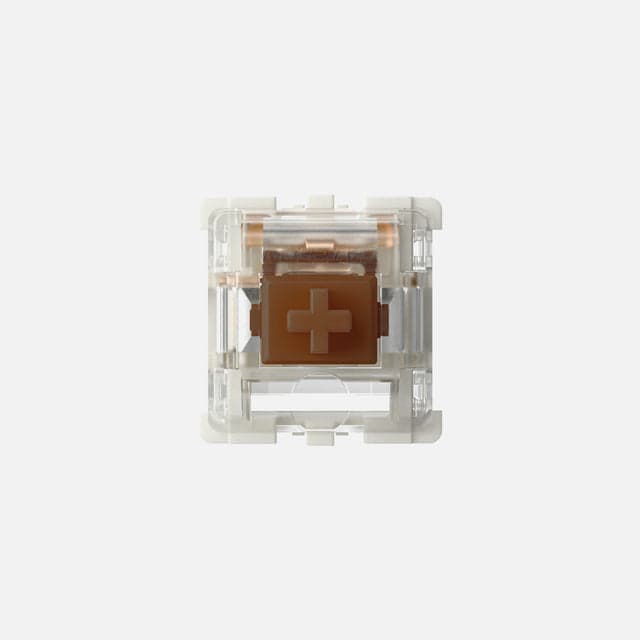 Gateron G Pro 3.0 SwitchesAZIO Corporation · $9.99
![AutoFull M6 Ultra+ 2.0 Gaming Chair & A4 Pro Gaming Desk Bundle [💥Combo Off]](/_next/image?url=%2Fanh-hang%2Fautofull-eu%2F2.jpg&w=640&q=75) AutoFull M6 Ultra+ 2.0 Gaming Chair & A4 Pro Gaming Desk Bundle [💥Combo Off]autofull.eu · $1364.99
AutoFull M6 Ultra+ 2.0 Gaming Chair & A4 Pro Gaming Desk Bundle [💥Combo Off]autofull.eu · $1364.99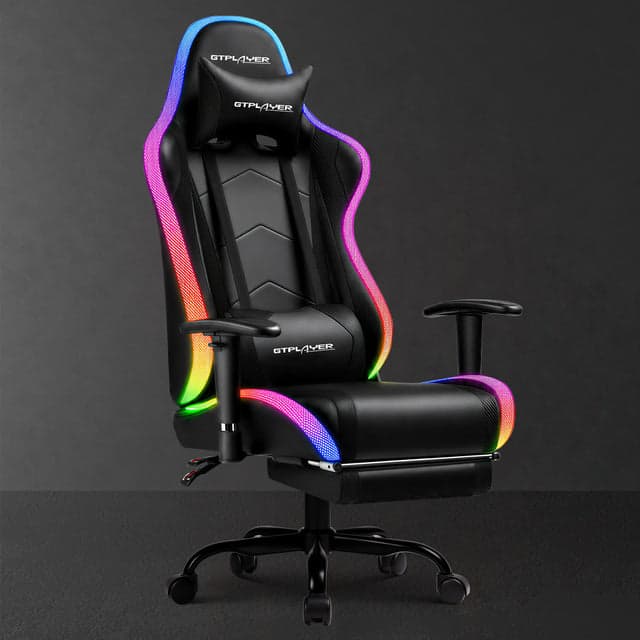 Aura Series GT099GTRacing · $139.99
Quality and value: separating good deals from false economy
A good budget gaming accessory should last 2–3 years of regular use; anything failing within 12 months is false economy. AZIO Corporation peripherals are known for consistent build quality at lower price points, often outperforming more expensive gaming-branded alternatives. autofull.eu and GTRacing gaming chairs typically include longer warranties (2–3 years) compared to generic budget chairs, reducing replacement costs. True value emerges from brand warranty policies: Corsair, Logitech, and SteelSeries back sub-$100 products with 2-year coverage, while many no-name brands offer none. This warranty difference alone justifies paying $5–15 more per item. A $40 mouse with a 2-year warranty beats a $25 mouse with zero support. Durability signals include steel frames on chairs, braided cables on keyboards and mice, and rubberized grips on mice. Red flags include hollow plastic frames, thin single-ply cables, and chairs with no lumbar support adjustment. Avoid chairs with pneumatic cylinders rated for fewer than 100,000 cycles; these fail within 18 months. Real value in headsets comes from passive noise isolation (sealed ear cup design) rather than active cancellation; a $50 headset with good sealing outperforms a $80 headset with ineffective ANC.
Fit and sizing: getting it right the first time
Mouse fit is non-negotiable and highly personal. Claw grip users need smaller, lighter mice (under 100 grams); palm grip users need larger mice (120+ grams) with deeper cups. Buy a mouse model that reviewers note fits your hand size, not just your budget. Keyboard size matters less, but tenkeyless (80–85% keyboards save desk space for $10–20 less than full-size. Wrist rests on budget keyboards are usually thin foam that compresses within months; skip them and use a separate wrist rest if needed. Gaming chair sizing is critical: your seat height should allow feet flat on the floor with knees at 90 degrees when the seat is lowered. Measure your desk height and subtract 10–12 inches—this is your ideal seat height range. Look for chairs with seat height adjustment of at least 2 inches to dial in your setup. Headset fit depends on head size and ear shape. Budget headsets often come in one size; check user reviews noting whether they're too tight for large heads or too loose for small heads. Adjustable headband tension prevents soreness. Desk depth matters: 24 inches minimum keeps a keyboard, mouse pad, and monitor in comfortable reaching distance without hunching. Shallow desks (20 inches or less) force keyboard-and-mouse closer than ideal, increasing wrist strain.
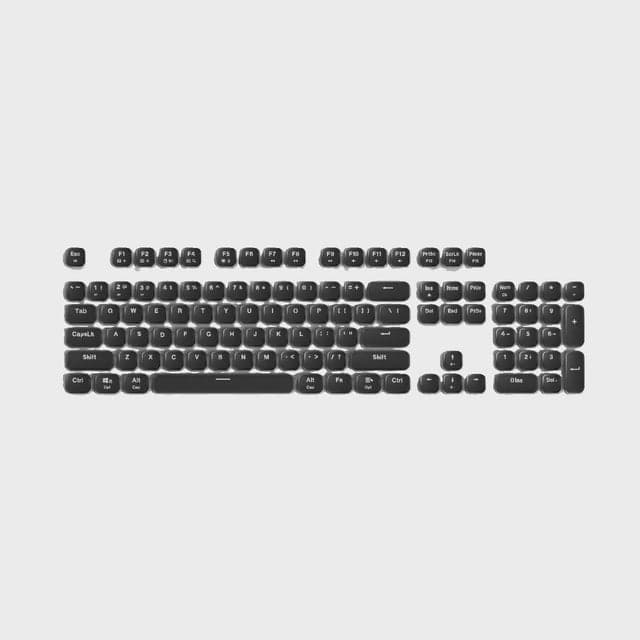 RC Prestige Keycaps (PC & Mac)AZIO Corporation · $34.99
![🔥AutoFull M6 Ultra+ 2.0 Shiatsu Massage Gaming Chair [🏆NiKo’s Championship Chair]](/_next/image?url=%2Fanh-hang%2Fautofull-eu%2F3.jpg&w=640&q=75) 🔥AutoFull M6 Ultra+ 2.0 Shiatsu Massage Gaming Chair [🏆NiKo’s Championship Chair]autofull.eu · $764.99
🔥AutoFull M6 Ultra+ 2.0 Shiatsu Massage Gaming Chair [🏆NiKo’s Championship Chair]autofull.eu · $764.99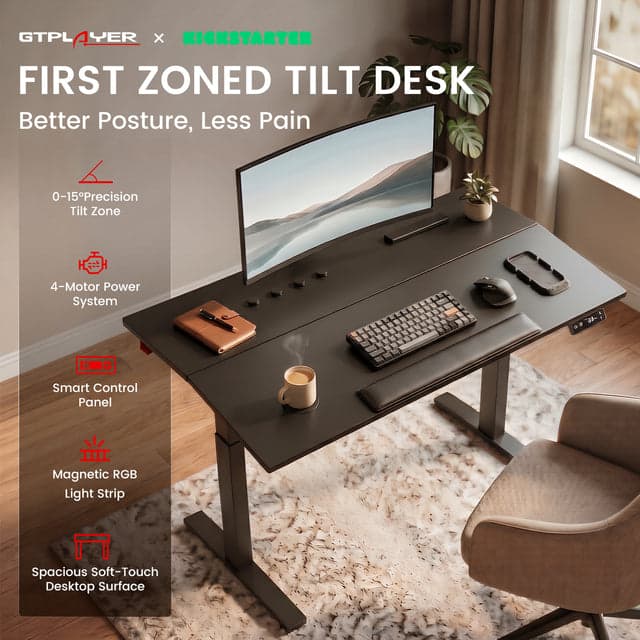 GTPlayer Zoned-Tilt 4-Motor Ergonomic Smart Standing DeskGTRacing · $499.00
How to save money: discounts and timing
Gaming accessory prices drop most sharply during three windows: end of August (back-to-school sales), November (Black Friday/Cyber Monday), and January (post-holiday clearance). Expect 20–35% off established brands like Logitech, Corsair, and SteelSeries during these periods. Budget brands like AZIO Corporation often run year-round discount codes on their website and through retailers like Amazon; sign up for their mailing lists for 10–15% coupons. Bundles offer savings if you need both keyboard and mouse: a paired bundle saves $10–20 versus buying separately. However, only buy bundles if both items suit your needs; don't compromise on mouse fit to save $5. Retailer price matching works on popular models; Best Buy and Amazon sometimes undercut each other by $5–15. Monitor prices across three retailers before buying. Wire discounts via social media ads (TikTok, YouTube) are typically real—many manufacturers run 15–20% flash sales monthly to followers. Clearance sales on discontinued models offer 40–50% off; this is safe if the model is only 1–2 years old (still has driver support). Avoid discount codes claiming over 50% off; these often apply only to inflated original prices. Generic keyboard and mouse sales rarely offer real value; the baseline prices for Logitech G203 and Corsair K60 rarely drop below $20 and $79 respectively, regardless of marketing claims.
Where people get comparison wrong
The biggest mistake is comparing only specification sheets. A mouse with higher DPI is not better for gaming; most competitive shooters use 400–1600 DPI regardless of sensor capability. A keyboard with more programmable keys is not better if you never use macros. A headset with RGB lighting and surround sound processing is not better than a simple stereo headset with superior ear cup design. Comparing only price per item ignores total cost of ownership. A $25 chair lasts 8 months; a $180 chair lasts 4+ years. Per-month, the expensive chair costs $3.75 monthly versus $3.12 monthly for the cheap one, but the cheap one forces you to rebuy frequently. Confusing gaming-brand premium with gaming-specific performance is common. Corsair and SteelSeries keyboards perform identically to AZIO Corporation and Logitech models in actual gaming; the premium brand markup reflects marketing spend, not superior switches or construction. Ignoring user reviews in favor of marketing claims leads to poor choices. A keyboard advertised as offering 'esports-grade' performance has no meaning; check what actual competitive players use. Many budget gamers mistakenly think spending more on a single peripheral (e.g., a $300 gaming chair) while using a $10 mouse is optimized purchasing. It's not. Balanced spending across keyboard, mouse, and headset ensures no single weak link ruins your experience. Underestimating how much time you'll spend in a chair is another common error—gamers assume they sit for 2 hours when they actually game for 5+ hours. A cheap chair feels fine for 2 hours but causes real pain at 5 hours.
Mistakes to avoid when buying budget accessories
Don't buy based on YouTube influencer recommendations unless they disclose sponsored partnerships. Many budget gaming gear reviews are paid promotions hidden as unbiased comparisons. Avoid impulse purchases during sales—a 20% discount on something you don't need is not savings. Make a list before sales events and only buy items on that list. Don't assume wired is worse than wireless; wired gear has zero latency concerns, no battery anxiety, and costs less. For competitive gaming, wired is often the better choice. Never buy a chair without checking the gas cylinder rating and warranty. Gaming chair pneumatic failures are common, and a replacement gas cylinder costs $20–40 plus shipping time if out of warranty. Don't expect a $60 gaming chair to support 250+ pounds safely; check weight limits. Many budget chairs have 220-pound limits and fail prematurely under heavier loads. Avoid keyboard switches you've never tried before. Cherry MX, Kailh, and Gateron switches feel different; a low-cost keyboard with switches you dislike is wasted money. If possible, test switch types at a local shop before buying. Don't neglect cable quality on peripherals. Budget mice and keyboards with thin, flimsy cables fail at the connector within a year. Braided or reinforced cables cost only $2–5 more and last the product's lifetime. Mixing budget and premium gear randomly is inefficient. A $200 gaming chair with a $10 mouse is unbalanced; spread budget evenly to avoid bottlenecks. Finally, don't buy a full setup at once if you're new to gaming. Start with keyboard and mouse ($80–120 combined), use a regular chair for a month, then upgrade to a gaming chair once you've confirmed your gaming habits. This approach prevents buyer's remorse.
Our top picks

AZIO Corporation86% off
Offers budget keyboards and mice built for gaming with solid build quality and consistent performance at prices between $25–80.
Shop AZIO Corporation →15 AZIO Corporation coupons →
autofull.eu10% off
Gaming chairs designed for durability and comfort, typically priced $150–300 with 2–3 year warranties and lumbar support.
Shop autofull.eu →18 autofull.eu coupons →
GTRacing10% off
Gaming furniture brand offering chairs and desks with bundle options and financing for budget builders seeking complete setups.
Shop GTRacing →16 GTRacing coupons →Frequently asked questions
Can budget gaming keyboards really match expensive ones?
Yes. Modern budget mechanical keyboards use the same switch types as premium models. The difference is often RGB lighting and wireless connectivity, not actual typing or gaming performance. A $60 keyboard performs identically to a $150 keyboard in gaming.
Is wireless worth the extra cost for budget mice and keyboards?
Not usually. Wired options cost $15–30 less with zero latency concerns and no battery anxiety. For gaming, the performance difference is imperceptible. Wireless is convenience; if your budget is tight, skip it and upgrade later.
How long should a budget gaming chair last?
A good budget gaming chair ($150–250) should last 3–5 years with proper care. Key factors are gas cylinder rating (100,000+ cycles), frame steel quality, and warranty length. Chairs under $80 typically fail within 18 months.
- https://www.tomshardware.com/best-picks/best-pc-builds-gaming
- https://www.engadget.com/gaming/pc/best-budget-gaming-accessories-130040522.html
- https://www.tomshardware.com/peripherals/best-pc-peripherals-deals-keyboards-headsets-mice
- https://www.eneba.com/hub/gaming-gear/best-gaming-chair-under-100/
- https://www.domstechblog.com/considerations-buying-gaming-peripherals/