
What changed this season for streamer gear
Streaming in 2026 has splintered into specialized categories: couch streamers using controllers, desk streamers building elaborate rigs, and hybrid setups combining both. The hardware that dominates today focuses on silent input devices—mechanical keyboards with dampened switches, wireless mice that eliminate clicks, and controllers with programmable buttons for overlay control. What's shifted is budget allocation. Most streamers in 2024 overspent on cameras and lighting; experts now recommend 50 percent of your accessory budget goes to audio and input devices, 30 percent to display gear (monitors or capture cards), and 20 percent to visual polish. Manufacturers have responded by releasing more controller variants with lower latency, wireless keyboards designed to stay quiet during capture, and compact monitors for multi-screen setups that don't require desk space.




How to choose: specs that matter for your broadcast
Three specifications matter most when selecting streamer accessories: polling rate, latency, and input lag. Polling rate (measured in Hz) determines how often your device communicates with your PC—240Hz is sufficient for most streamers, though esports broadcasters prefer 1000Hz for instant responsiveness. Wireless latency should be under 1ms using modern 2.4GHz technology; Bluetooth polling below 250Hz will introduce perceptible delay during gameplay. For controllers, button travel distance and tactile feedback matter: short-travel switches (around 1mm for triggers) register inputs faster, while ergonomic grip design reduces hand fatigue during long streams. Mechanical keyboards should have noise-dampened switches if your microphone is sensitive; tactile feedback helps prevent accidental key presses while streaming. Portable monitors for secondary displays should offer USB-C or HDMI connectivity for laptop streamers, with at least 1920×1080 resolution for reading chat or monitoring metrics.
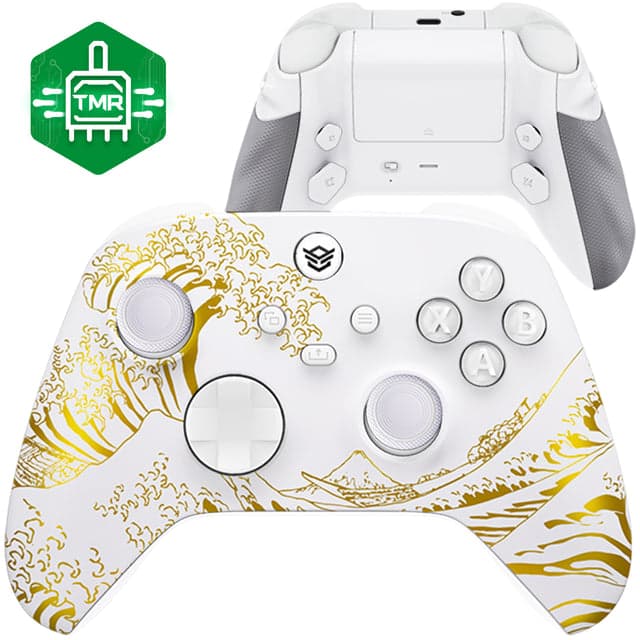 HEXGAMING ADVANCE Controller with TMR Joysticks & Adjustable Triggers for XBOX, PC, Mobile - White Golden WavesHexgaming.com · $149.99
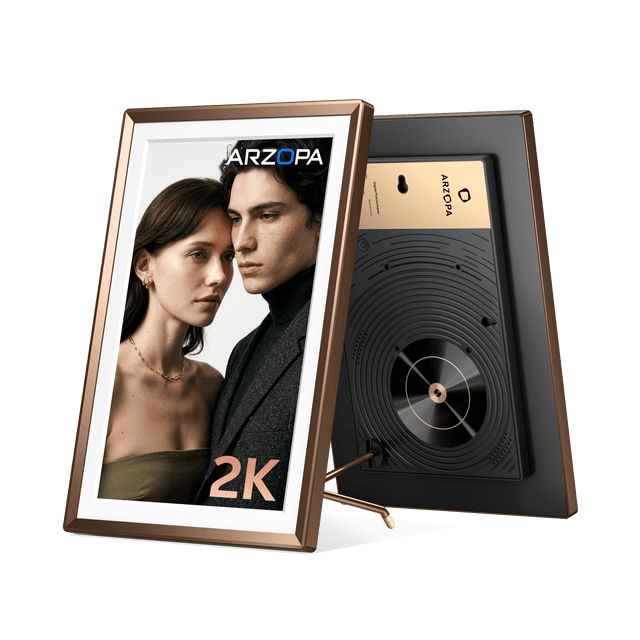 Arzopa D14 Pro 14" 2K Digital Photo FrameArzopa · $209.99
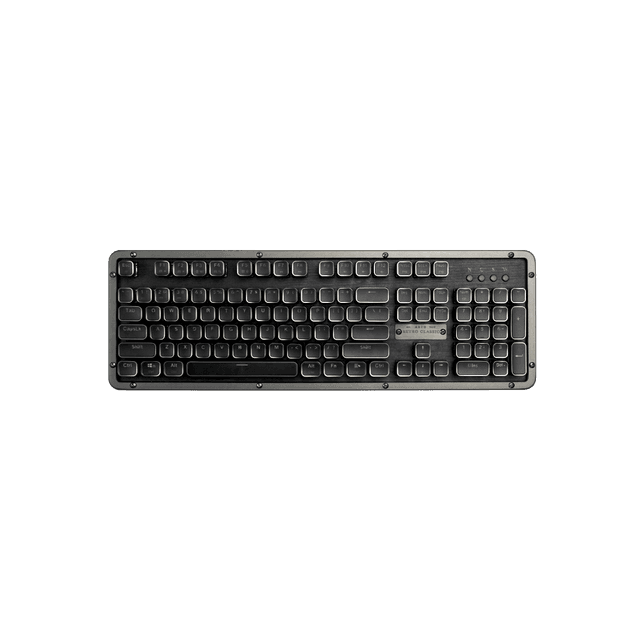 RC Prestige KeyboardAZIO Corporation · $209.99
Trade-offs: what is worth paying for
Customization always costs more. A standard mechanical keyboard costs $60–100; adding programmable macro keys and RGB integration costs $150–250. Standard controllers retail at $50–70 (wireless options), while controllers with Hall Effect joysticks and mappable back buttons run $120–180. You can skip: RGB lighting (purely aesthetic, doesn't improve performance), high-end mice above 3500 DPI (most games cap effective sensitivity far lower), and premium monitor stands (a basic monitor arm is $30 and does the same job). What you cannot skip: Hall Effect joysticks on controllers (they prevent stick drift and last 3x longer than rubber sticks), mechanical switches on keyboards (they're quieter and more durable than membrane switches), and wireless technology with no perceptible lag (modern 2.4GHz outperforms Bluetooth for streaming consistency). Budget-conscious streamers often pair mid-range keyboards with budget controllers and allocate savings to monitor upgrades—this trade-off works well because viewers tolerate simple input devices but immediately notice a poor-quality secondary display.
Which brands suit different streamer types
Esports broadcasters and competitive FPS streamers should prioritize Hexgaming customizable controllers, which feature back paddle mapping, short-travel triggers, and interchangeable thumbstick designs built for frame-perfect inputs. Hexgaming controllers ship with Hall Effect joysticks and clicky L1/R1 switches rated at 1.0mm travel, making them purpose-built for high-refresh competitive gameplay. Handheld streamers who play Nintendo Switch or Steam Deck on camera should look at Jsaux gaming accessories, which offers protective cases, grip straps, and docking solutions specifically designed for streaming portability. Jsaux products focus on comfort during extended broadcast sessions and include mounting options for overhead camera setups. Desk streamers building desktop rigs benefit from AZIO Corporation keyboards and mice, which ship in gaming packs with mechanical switches and offer quieter operation through dampened key design. AZIO focuses on the aesthetics and durability that translate well on camera. Streamers running multi-screen setups or broadcasting from laptops at events should consider Arzopa portable monitors, which connect via USB-C for single-cable simplicity and provide secondary screens for chat monitoring or game capture display. Budget-conscious streamers seeking reliable wireless controllers can turn to EasySMX controllers, which deliver responsive inputs at $25–40 with support for multiple platforms and both Bluetooth and 2.4GHz wireless modes.
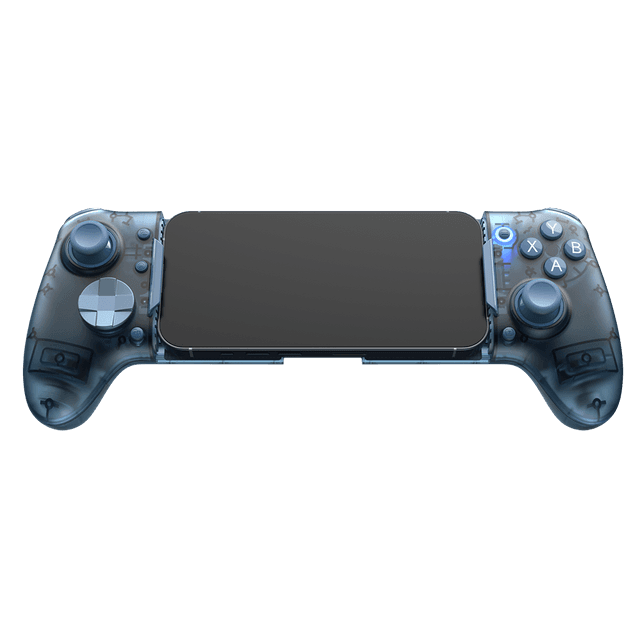 EasySMX® M20 Bluetooth Mobile Gaming Controller for Android, iphone and SwitchEasysmx · $59.99
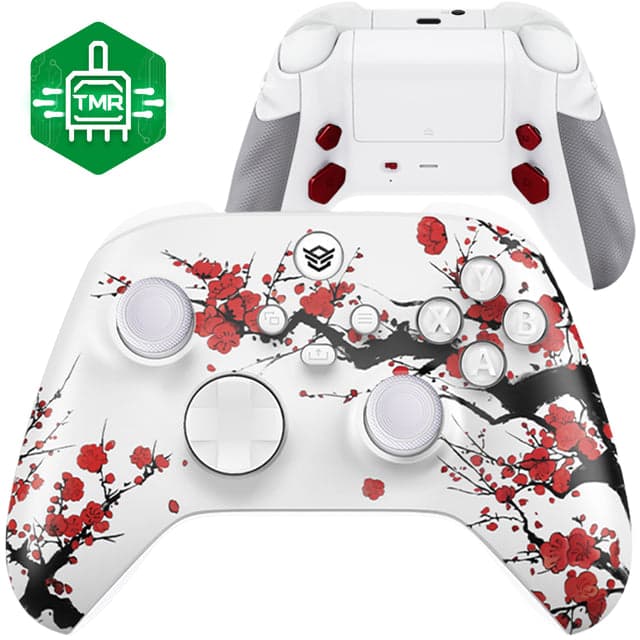 HEXGAMING ADVANCE Controller with TMR Joysticks & Adjustable Triggers for XBOX, PC, Mobile - Winter BlossomHexgaming.com · $149.99
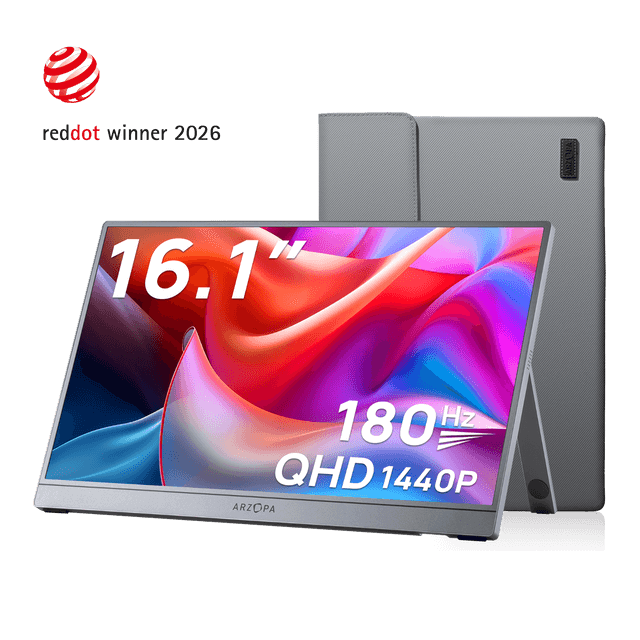 Arzopa Portable Gaming Monitor FreeSync (Test)Arzopa · $129.99
Quality signals: what separates premium from cheap
Premium streamer accessories ship with Hall Effect or optical sensor components—these are expensive to manufacture but virtually eliminate the stick drift problem that plagues budget controllers after 6–12 months. When comparing keyboards, genuine mechanical switches (Cherry MX or equivalent) cost more than membrane switches but remain consistent through 50+ million keystrokes, while cheap alternatives degrade after 10 million keypresses and develop mushy feedback. Look for build materials: aluminum frames outlast plastic, and braided cables resist fraying. Controllers from Hexgaming and EasySMX both use authentic base controllers and mechanical switches; the difference is in customization. Hexgaming includes programmable back paddles and tool-free stick swaps (premium touches), while EasySMX offers basic but solid wireless connectivity. On keyboards, AZIO models include per-key RGB tuning and programmable macros; cheaper boards either lack RGB or offer fixed presets. Portable monitors from Arzopa stand out because they include kickstands and operate reliably at 60Hz over USB-C without requiring external power in many cases—budget portable displays often need a separate power adapter and run at 30Hz. Jsaux accessories differentiate through rigorous testing for each handheld device; they publish compatibility matrices and offer specialized designs rather than universal casings. Poor-quality accessories show themselves within 4–8 weeks: controllers lose responsiveness, keyboards develop dead keys, monitors flicker, and mice pointer lag becomes noticeable. Premium brands offer 1-year warranties as standard; anything shorter signals corner-cutting.
Sizing and fit: getting your setup right first time
Controller fit matters more than most streamers realize. A controller too large causes wrist strain during multi-hour broadcasts; too small means missed button presses. Before buying, measure your palm width and compare to manufacturer specs. Hexgaming controllers are optimized for medium hands and include three ergonomic thumb grip designs (flat, arched, and contact point), allowing you to swap grips without replacing the whole controller—test one design for a week and swap if necessary. Keyboard width affects broadcast positioning: full-size keyboards (104+ keys) need 20+ inches of desk space; tenkeyless models (87 keys) fit 16-inch spaces. If streaming with the keyboard visible on camera, a compact layout looks cleaner but costs precision for non-game input. Jsaux products ship with detailed sizing charts for different handheld devices; Steam Deck cases are not interchangeable with Switch 2 cases despite similar size. Portable monitors from Arzopa come in 13-inch, 15.6-inch, and 17.3-inch variants—measure your desk depth before ordering, as a 17-inch display needs 12+ inches of clearance when tilted back. Mouse fit depends on grip style: claw grip (fingers bent at knuckles) suits compact mice under 100g; palm grip (flat hand) needs 110g+ mice with wider bodies. Most AZIO and EasySMX mice are ambidextrous and medium-sized, fitting 85% of users comfortably; left-handed options are rare and require asking support. Check return policies before ordering: premium brands like Hexgaming and Jsaux offer 30-day returns, while budget alternatives may limit returns to defects only.
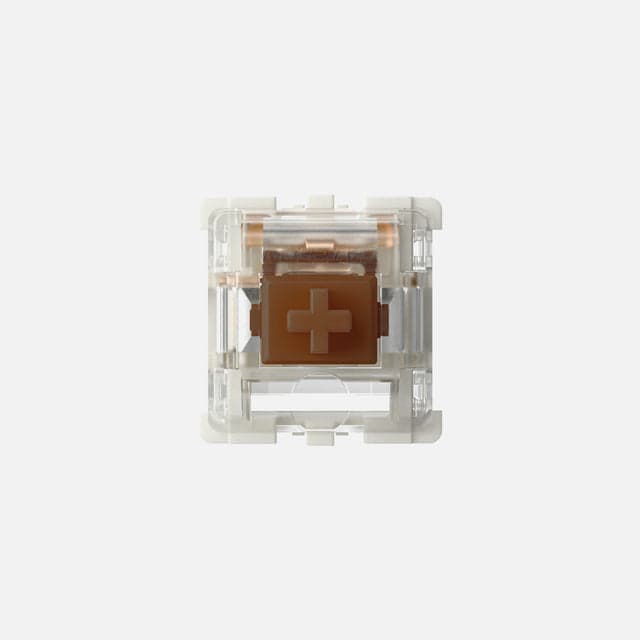 Gateron G Pro 3.0 SwitchesAZIO Corporation · $9.99
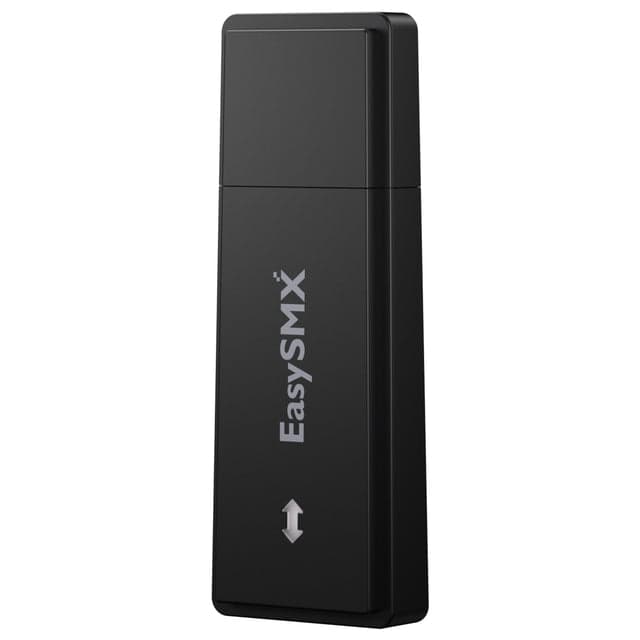 EasySMX® 2.4G Receiver USB Dongle for X05 Pro Game ControllerEasysmx · $11.99
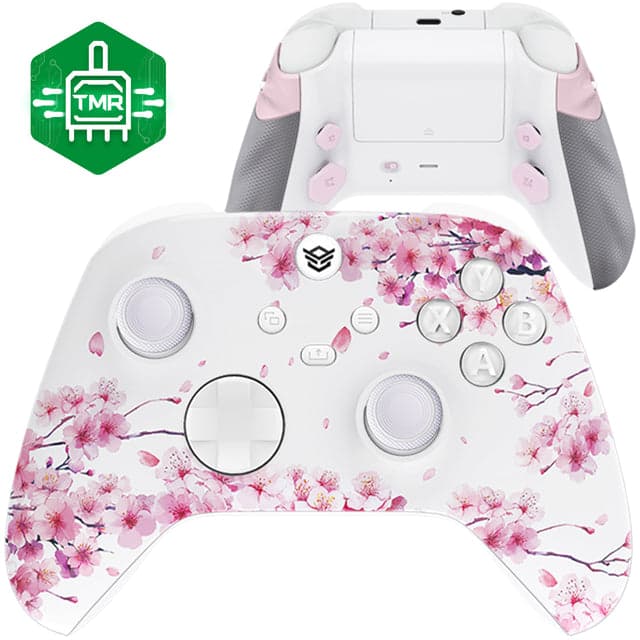 HEXGAMING ADVANCE Controller with TMR Joysticks & Adjustable Triggers for XBOX, PC, Mobile - Cherry Blossom WhisperHexgaming.com · $149.99
Saving money on streamer accessories
Streamer-specific discounts are limited to seasonal shopping windows: Amazon Prime Day (mid-July and mid-October) offers 15–25% off peripherals, and Black Friday (late November) extends sales for 4–6 weeks across controllers, keyboards, and monitors. Bundle purchases save 10–15%: buying a controller and grip pack together typically costs less than buying each separately. Watch manufacturer social media for flash sales and bundle announcements; AZIO and EasySMX publish sales one week before they go live on retail partners. Discount codes from streaming communities and Discord servers occasionally appear, covering 5–10% off. Price tracking tools alert you when specific models drop, but most streamer accessories hold value—Hexgaming controllers rarely discount below 5–10%, reflecting their competitive positioning. Jsaux and AZIO frequently run seasonal promotions on older product lines to make room for new handheld device support. Portable monitor prices from Arzopa typically stabilize 6 months after launch, so buying last year's model often saves $30–50. Generic alternatives exist—standard mechanical keyboards cost $40–60 versus AZIO's $100–150—but the gap reflects durability and quietness rather than features. Buying refurbished or open-box items saves 15–20%, and most premium brands' warranties cover refurbished stock. Avoid stores claiming 40%+ discounts; streamer accessories rarely discount more than 25% unless discontinued, and deeper cuts signal counterfeit inventory.
Common comparison mistakes streamers make
Mistake one: Comparing wireless controllers by latency spec alone. A 1ms wireless latency means nothing if polling rate is only 125Hz—EasySMX controllers at 250Hz Bluetooth polling often outperform competitors claiming sub-1ms at 62Hz polling. Always cross-reference both numbers. Mistake two: Buying based on maximum features. Hexgaming offers 15 button assignments and eight interchangeable thumbstick combinations; many streamers use three presets and one thumbstick design. Overpaying for unused customization is common. Test-drive customization in a returnable window before committing. Mistake three: Assuming portable monitors work with any device. Arzopa monitors connect via USB-C or HDMI, but some laptops lack HDMI and cannot power USB-C displays simultaneously with external drives—check your device before ordering. Mistake four: Ignoring sound isolation when picking keyboards. A keyboard rated 'quiet' means under 60dB; some mechanical keyboards hit 75dB, which your microphone will record clearly. AZIO emphasizes dampening; budget brands often prioritize click sound. Mistake five: Confusing controller compatibility. Nintendo Switch controllers don't work on PlayStation; most PC controllers require driver installation. EasySMX and Hexgaming controllers ship with clear compatibility notes, but generic boards may not. Mistake six: Treating controller ergonomics as universal. A controller comfortable for two-hour sessions may cause cramps during eight-hour streams. No spec sheet captures this—rent or borrow before buying. Mistake seven: Buying grips and skins for controllers that already include them. Jsaux handheld cases often include grip padding; adding aftermarket grips creates an uncomfortable bulge. Read what's included before adding extras.
Mistakes to avoid when building your setup
Mistake one: Chasing silence at the expense of feedback. A silent keyboard that requires heavy key presses leads to RSI during long streams; mechanical dampening should reduce noise without sacrificing tactile response. AZIO keyboards balance both; ultra-quiet budget models often miss this. Mistake two: Upgrading all peripherals at once. Buy one component, test it live for 2–3 broadcasts, then add the next. This reveals which accessories truly improve your production. Most streamers regret buying everything together because they can't isolate what worked. Mistake three: Ignoring cable management. Controllers and monitors need USB-C or HDMI routing; a tangled desk looks chaotic on camera. Invest in a cable tray or routing clips ($15–30) before buying monitors. Arzopa monitors ship with cables, but you'll need adapters for older devices. Mistake four: Overlooking monitor refresh rates for stationary gameplay. A 60Hz Arzopa portable monitor is fine for turn-based games or menus but creates judder during fast-panning action games. Check your game's performance first; 144Hz monitors eliminate most judder but cost $150+ more. Mistake five: Assuming wireless technology has matured universally. Bluetooth is convenient but unreliable on many streaming PCs; 2.4GHz wireless is industry standard for pros. EasySMX and Hexgaming both support 2.4GHz; verify before buying. Mistake six: Not testing return policies before launch day. Hexgaming offers 30-day returns; budget brands often limit refunds to defects. If a controller feels wrong on day three, ensure you can return it without fight. Mistake seven: Forgetting to provision USB ports. A streamer PC running OBS, capture card, and four USB peripherals (controller, keyboard, mouse, monitor) may overload the USB bus, causing input lag or dropouts. Plan your USB port load before buying—high-end motherboards include powered hubs, but laptops do not. Jsaux and Arzopa both recommend checking available bandwidth.
Our top picks

Hexgaming.com20% off
Purpose-built esports controllers with Hall Effect joysticks, programmable back paddles, and swappable ergonomic grips for FPS and competitive streaming.
Shop Hexgaming.com →16 Hexgaming.com coupons →
Arzopa15% off
Portable monitors with USB-C connectivity and extended display support for multi-screen setups and event streaming from laptops.
Shop Arzopa →19 Arzopa coupons →
AZIO Corporation86% off
Mechanical gaming keyboards and mice with dampened switches and bundled packs, designed for quiet streaming broadcasts.
Shop AZIO Corporation →15 AZIO Corporation coupons →
Easysmx18% off
Affordable wireless controllers with 2.4GHz and Bluetooth support, Hall Effect sticks, and multi-platform compatibility for budget-conscious streamers.
Shop Easysmx →15 Easysmx coupons →Frequently asked questions
Do I need a customizable controller like Hexgaming for streaming?
Only if you play competitive FPS games or need programmable buttons for overlay control. Casual streamers can use standard $50 controllers; esports and strategy game broadcasters benefit most from back paddle mapping and short-travel triggers.
What's the difference between 2.4GHz wireless and Bluetooth for streaming controllers?
2.4GHz offers polling rates up to 1000Hz with sub-1ms latency; Bluetooth typically maxes at 250Hz polling. For streaming, both work fine, but 2.4GHz is more reliable if your PC has interference. EasySMX supports both modes; verify your device's connectivity before buying.
Can I use a portable monitor from Arzopa for streaming chat monitoring?
Yes, if your main PC has spare USB-C or HDMI ports. Use extended desktop mode to display chat on the portable monitor while your game runs on your main display. Ensure your PC's USB bus can handle both power and video over USB-C simultaneously.
- https://www.obsbot.com/blog/live-streaming/live-streaming-equipment
- https://www.dacast.com/blog/live-streaming-equipment/
- https://www.gamesradar.com/streaming-for-gamers/
- https://www.thegamer.com/hexgaming-rival-dualsense-pro-controller-review/
- https://www.arzopa.com/blogs/how-to/arzopa-portable-monitor-setup
- https://www.gamesradar.com/easysmx-x10-review/