
What's changed: 2026 gaming accessory trends
Gaming accessories in 2026 focus heavily on precision, low latency, and long-term durability. Mechanical keyboards now feature Hall Effect sensors and rapid trigger technology at affordable prices, with some models starting below $40. Portable monitors have become a serious category, with 1440p becoming the new standard for PC gaming over the older 1080p baseline. Gaming chairs emphasize adjustability—4D armrests and multi-directional lumbar support are now expected features even at mid-range prices, rather than luxury add-ons. Handheld gaming has driven demand for quality stands, carrying cases, docking stations, and screen protectors. Smart shoppers are noticing that accessory bundles and brand ecosystems rarely save money; mixing brands to find the best value in each category is now the smarter play. The focus has shifted away from RGB lighting stacking and toward genuine functional improvements in responsiveness, comfort, and durability that compound over thousands of gaming hours.




Specs that genuinely matter in gaming peripherals
For gaming mice, what matters is not maximum DPI but adjustable DPI and sensor quality. Look for 1,000 Hz polling rate as the universal baseline; 4,000–8,000 Hz high-frequency polling only helps on 240Hz+ monitors and costs CPU resources. Mouse fit trumps sensor specs—a mouse with a perfect sensor that doesn't suit your hand size will underperform a lesser mouse that fits naturally. For keyboards, switch type and response time matter far more than RGB lighting. Mechanical switches offer crisper, faster actuation than membrane domes, with premium mechanical switches rated for 80–100 million keystrokes. Optical switches use light beams instead of physical contacts, delivering even faster response and longer lifespan. For monitors, 1440p at 144Hz or higher represents the sweet spot for most PC gaming. Refresh rate directly impacts how smooth motion feels and can genuinely improve reaction time in competitive play. For gaming chairs, adjustable lumbar support, 4D armrests (adjustable in height, depth, width, and angle), and high-density foam cushioning matter more than leather texture or flashy colors. Build materials like metal frames and multi-layer padding separate chairs that last from those that sag within a year.
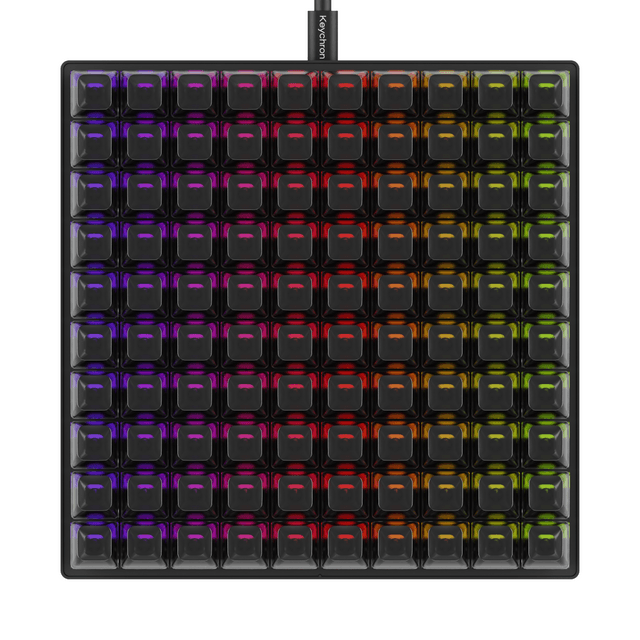 Keychron C100 8K Giant Custom Macro PadKeychron · $64.99
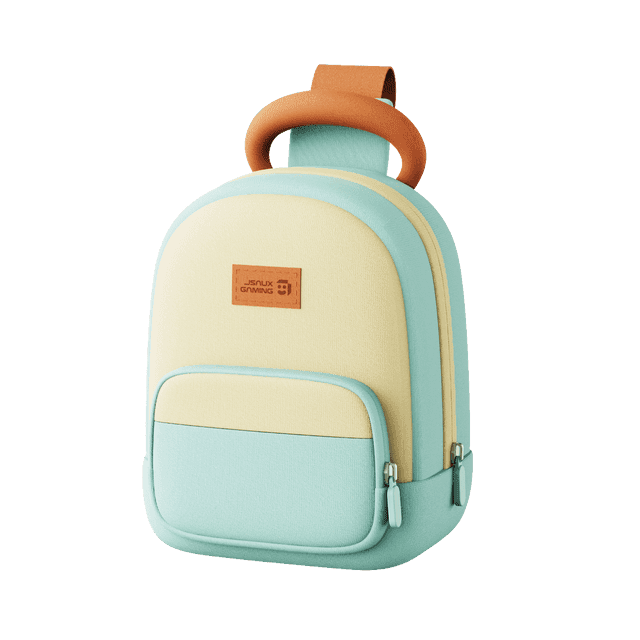 Carry Sling Bag for Nex PlaygroundJsaux · $39.99
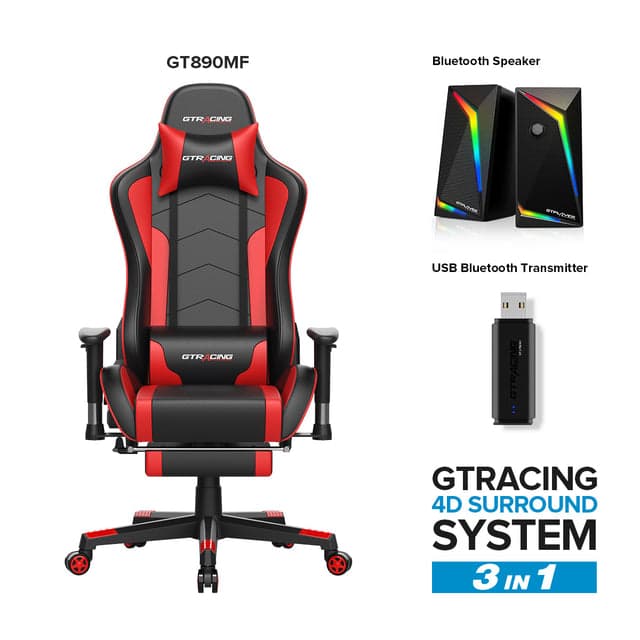 GT Lynck System Pro GT890MF EditionGTRacing · $219.99
What's safe to skip and where budget really matters
RGB lighting synchronization is the easiest expense to cut without losing performance. ARGB-synced pillows, desk mats, and monitor hoods add complexity and maintenance without improving gameplay. For gaming mice under $60, prioritize comfort and build quality over ultra-high polling rates or maximum DPI. For keyboards, a quality membrane board like the Corsair K55 is perfectly adequate for casual single-player gaming; the jump to mechanical matters more for players who type or game for extended hours daily. For monitors, avoid TN panels in 2026—even budget IPS and VA panels deliver better color and viewing angles. HDR monitors are safe to skip unless the display explicitly certifies DisplayHDR 600+ with Mini-LED backlighting; basic DisplayHDR 400 stickers are largely marketing with no real image improvement. For gaming chairs, you do not need adjustable cooling or heating functions, zero-gravity recline, or massage features to sit comfortably for eight hours. A solid frame, adjustable lumbar support, and quality cushioning deliver 90% of the benefit at 40% of the price. Avoid feature stacking just because a brand sells matching products; buy the best value in each category separately rather than forcing a matched set.
Who should look at which brands and product types
Competitive shooters prioritize mice with reliable sensors, low latency, and ergonomic fit. Keychron offers mechanical keyboards with customization at multiple price points; Jsaux covers handheld gaming stands and docking solutions. Casual players building a budget setup under $150 should start with a solid keyboard and mouse combo, then upgrade monitor refresh rate next. GTRacing delivers entry-level gaming chairs with adjustable lumbar support for gamers who spend 4+ hours seated daily. Streamers and content creators need reliable audio, which may matter more than peripheral speed; a quality headset outweighs RGB lighting on every component. Handheld gamers who own a Steam Deck or Nintendo Switch benefit from carrying cases, screen protectors, and stands; Jsaux specializes in handheld accessories with sturdy suitcases that fit portables plus all cables and attachments. Laptop gamers need portable monitors for extended gaming; Arzopa makes portable displays in multiple sizes starting at the budget end. Players upgrading from console to PC should focus on mouse and keyboard fit before worrying about ultra-high refresh rates; a comfortable, responsive setup at 1440p 144Hz beats an uncomfortable $300 setup running at 360Hz.
 Arzopa D14 Pro 14" 2K Digital Photo FrameArzopa · $209.99
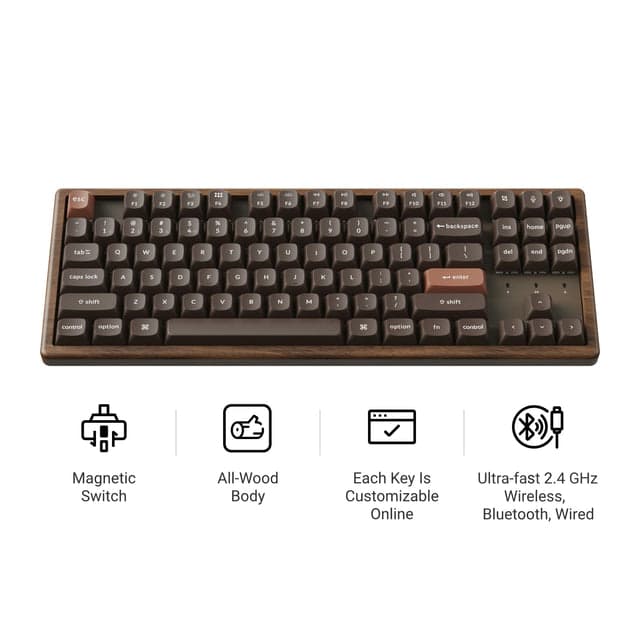 Keychron K8 HE Wireless Magnetic Switch Custom Keyboard - All-Wood Special EditionKeychron · $199.99
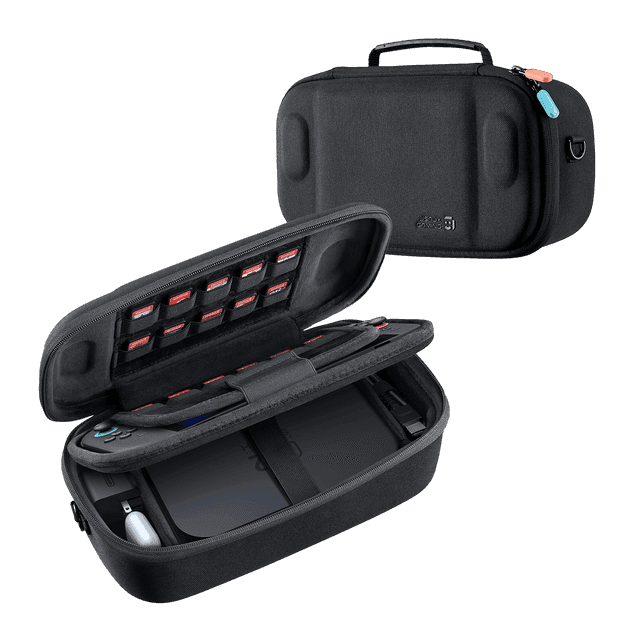 FlexForm Series | Double-decker Travel Case for Switch 2Jsaux · $29.99
Quality separates good buys from cheap ones
A good gaming keyboard has consistent switch feel across every key, registers rapid button presses reliably, and uses metal or solid plastic rather than thin stamped metal frames. A cheap keyboard feels mushy, develops double-keypresses within months, and sounds hollow when you type. Quality gaming mice use optical sensors with predictable motion tracking, lightweight construction under 120 grams, and rubberized grips that do not sticky over time. Cheap mice have scratchy sensors, heavy plastic bodies, and grips that turn into bare plastic within a year. A quality gaming chair has tightly welded metal frame joints, double-layer foam cushioning over a rigid plywood base, and leather or leatherette that resists cracking. Cheap gaming chairs use particle board bases that sag, single-layer foam that compresses flat within months, and vinyl that splits easily. For monitors, a quality panel delivers consistent color across the viewing angle, stable brightness under different ambient lighting, and no dead pixels. Budget monitors have backlight bleed, uneven color zones, and lower contrast that fatigues the eyes. Gaming chair brands like GTRacing and autofull.eu focus on frame rigidity and adjustable lumbar support as core quality markers. Keyboards from Keychron use hot-swappable switches so buyers can replace worn switches rather than replacing the entire board. AZIO Corporation keyboards emphasize mechanical durability. The difference between a $40 keyboard and a $120 keyboard is not always visible at first—it emerges after 500 hours of use, when cheap boards develop ghosting and expensive boards remain crisp.
Getting the right size and fit from day one
Mouse size depends on hand measurements and grip style. Claw grippers favor smaller mice (under 120 grams); palm grippers need larger mice (125–140 grams) with deeper curves. If your mouse fits poorly, no amount of DPI adjustment will fix inconsistent aim. Before buying, measure your hand from wrist to fingertip and check product specifications in millimeters—not vague size labels like 'medium.' Keyboard size should match your desk depth. Full-size 104-key boards need 18+ inches; tenkeyless 87-key boards need 14–16 inches; 65-key compact boards fit into 12 inches. If you use the numpad, full-size is worth it; if you rarely type numbers, a compact board frees desk space. Gaming chair sizing depends on your height and weight. A chair rated for 220 pounds will feel loose if you weigh 180 pounds; conversely, a chair rated for 250 pounds will be too small if you weigh 300 pounds. Brands like autofull.eu and GTRacing publish height and weight ranges for each model. Armrest height matters—your elbows should rest at a 90-degree angle when your feet are flat on the ground. Monitor distance from eye should be 24–30 inches; if your desk does not support that distance, a smaller portable monitor may work better than a large desktop display. For handheld gaming, carrying case thickness determines portability. A thick, rigid case protects but weighs more and takes up backpack space; a slim sleeve is lighter and packs flat. Jsaux offers both rigid and soft case options depending on travel needs and how much protection you prioritize.
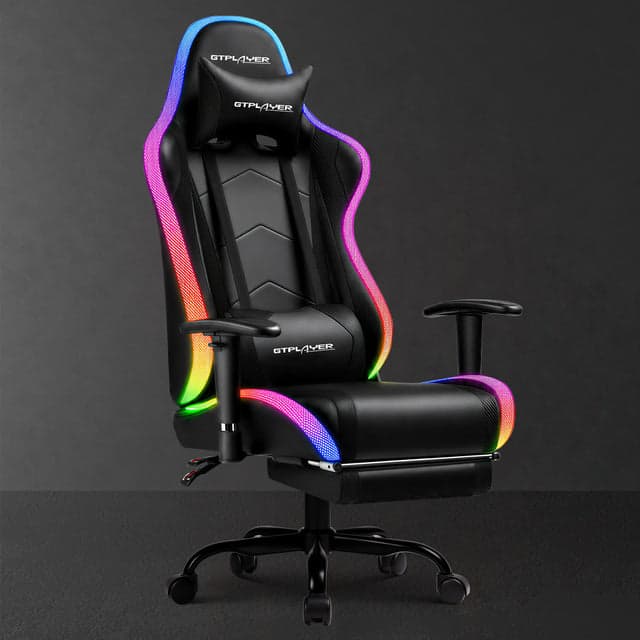 Aura Series GT099GTRacing · $139.99
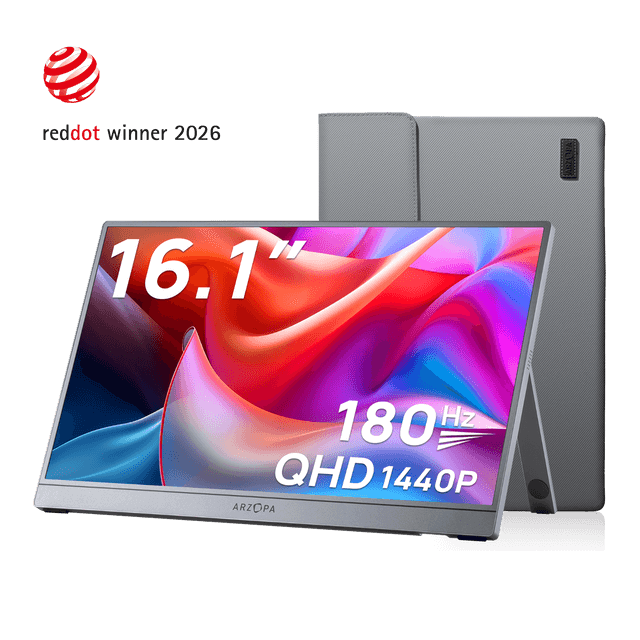 Arzopa Portable Gaming Monitor FreeSync (Test)Arzopa · $129.99
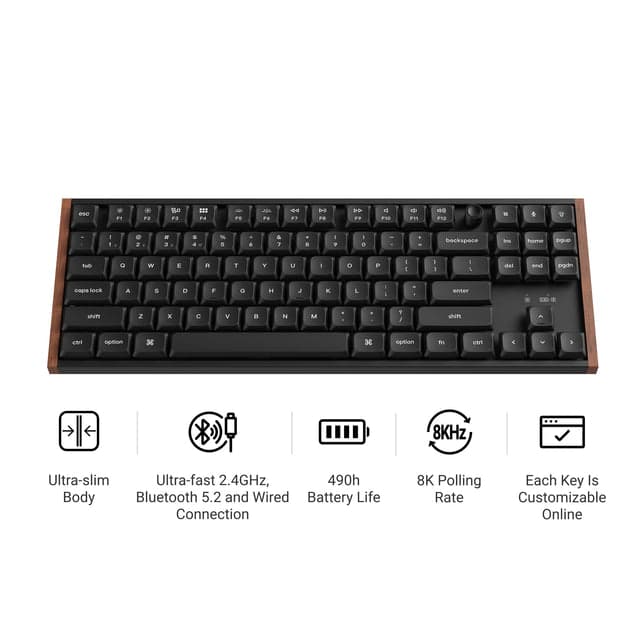 Keychron K1 Ultra 8K Wireless Custom Mechanical KeyboardKeychron · $109.99
How to save money: timing and what discounts really cover
Major gaming accessory sales happen around Newegg's anniversary sale (January–February), Amazon Gaming Week (late April–early May), Prime Day (early June), and Presidents' Day sales. Discounts on established brands typically run 15–25%, not the exaggerated 50%+ markups offered by discount-tracking sites. Brands rarely discount their flagship products; instead, look for previous-generation models and bundles that mix old and new stock. Gaming keyboard discounts usually apply to entry-level mechanical boards rather than ultra-premium models. SteelSeries, Corsair, and Razer headsets discount more readily than niche brands. Gaming chair brands like GTRacing run seasonal sales; autofull.eu sometimes offers bundle deals pairing a chair with an accessory pack. Coupon codes for gaming peripherals typically cover 10–15% off, not free shipping or purchase thresholds. Cashback sites and credit card rewards often deliver more value than a coupon code advertised on the retailer's homepage. Black Friday and Cyber Monday offer genuine 20–30% discounts on popular SKUs but sell out fast. Early November is the time to watch gaming accessory prices and set alerts rather than wait for the final sale day. For portable monitors and handheld accessories, Arzopa and Jsaux occasionally run direct-to-consumer sales at lower prices than Amazon, though shipping times are longer. Used gaming chairs from premium brands often resell at 40–50% of retail; inspect frame welds and foam condition before buying. A two-year-old gaming chair from autofull.eu at $200 used may outlast a new budget chair at $180.
Mistakes people make when comparing gaming accessories
The most common comparison mistake is running a high-refresh monitor at 60 Hz for weeks without changing settings. A 240 Hz monitor feels no different than 60 Hz if you do not enable high refresh in your game settings and graphics driver. Buyers also wrongly assume that a 'gaming' label on a product makes it better for gaming. A 'gaming' mouse pad with RGB lighting is not meaningfully different from a $8 pad without lights. Another mistake is confusing DPI with accuracy. Higher DPI does not make you aim better; it only makes your cursor move farther per inch. Professional esports players typically use 400–800 DPI system-wide, then adjust in-game sensitivity per game. Buyers also compare peripherals based on specs alone without testing fit. A mouse with the best optical sensor will underperform a lesser mouse that does not fit your hand. Comparing only maximum DPI or maximum polling rate ignores real-world factors like sensor stability at low DPI and CPU overhead at 8,000 Hz. For gaming chairs, comparing only the price and upholstery color misses lumbar adjustability and frame durability—the actual factors that determine comfort during long sessions. Another error is buying brand-matched ecosystems when mixing brands delivers better value. A $200 headset paired with a $20 mouse is worse than a $80 headset paired with an $80 mouse. Many shoppers also misread refresh rate as response time; a 144 Hz monitor is not the same as a 1 ms response time. A 240 Hz monitor with 5 ms response time beats a 60 Hz monitor with 1 ms response time for overall visual smoothness. Buyers looking at portable monitors often confuse USB-C charging with USB-C display input; some portable displays require HDMI or DisplayPort and only charge via USB-C, limiting docking versatility.
Mistakes to avoid when buying and setting up
The biggest setup mistake is buying accessories that do not integrate with your current monitor. If your monitor has no USB-C input or HDMI output, a portable secondary display will not extend your workspace the way you expect. Another error is assuming a cheap mousepad prevents tracking issues. A $8 pad and an $80 pad track identically if the mouse sensor is the same; expensive pads offer smoother glide and durability, not better aim. Many buyers also over-invest early in the setup hierarchy. Upgrading a 60 Hz monitor to 144 Hz delivers more real improvement than upgrading from a $30 mouse to a $120 mouse. Prioritize display first, then input peripherals, then audio. Buying wired accessories when your desk cannot accommodate cable management leads to frustration. Check desk depth and cable routing before buying a full-size keyboard or gaming chair. Another mistake is ignoring ergonomics for cosmetics. A gaming chair that looks cool but does not support your lumbar spine will cause back pain before it impresses anyone. Test return policies before buying unfamiliar brands; gaming chairs and keyboards are personal items that need to fit your body. Avoid 'feature stacking' where you buy matching RGB peripherals that synch via proprietary software; this creates maintenance headaches and makes upgrading one piece without replacing the whole set impossible. Not testing wearables like gaming glasses or VR headsets for fit before buying is also a mistake; glasses fit varies widely by face geometry, and IEM earbuds vary by ear canal size. Finally, do not assume the 'best' expensive accessory is right for you. The Secretlab Titan Evo Nanogen gaming chair is often called the best in the world, but if your desk or budget does not support it, a quality chair from GTRacing or autofull.eu that you can actually afford will improve your comfort more than a chair you cannot justify buying.
Our top picks

Keychron5% off
Offers mechanical keyboards with hot-swappable switches at $25–240, letting buyers customize and repair without replacing the entire board.
Shop Keychron →38 Keychron coupons →
Jsaux60% off
Specialized in handheld gaming accessories including docking stations, carrying cases, and stands for Steam Deck and portable gaming consoles.
Shop Jsaux →18 Jsaux coupons →
GTRacing10% off
Gaming chairs with adjustable lumbar support and 4D armrests designed for long sessions, spanning entry-level to premium price ranges.
Shop GTRacing →16 GTRacing coupons →
Arzopa15% off
Portable monitors and digital displays starting from $2–220, ideal for gamers who need secondary screens or travel with handheld devices.
Shop Arzopa →19 Arzopa coupons →Frequently asked questions
Is a mechanical keyboard really worth the money for gaming?
Yes, if you game or type for extended hours daily. Mechanical switches offer faster actuation, crisper feedback, and durability rated for 80–100 million keystrokes versus 5–10 million for membrane. For casual single-player gaming, a quality membrane keyboard is adequate, but the gap narrows when comparing premium membrane to budget mechanical.
How much polling rate does a gaming mouse actually need?
1,000 Hz polling rate is the universal sweet spot for most competitive gaming. 4,000–8,000 Hz high-frequency polling only benefits you on 240Hz+ monitors and costs CPU resources. Focus on mouse fit and sensor quality first; polling rate is a minor factor after those fundamentals.
What's the best way to save money on a gaming setup?
Prioritize components that give the most noticeable improvement: a higher-refresh monitor first, then a quality mouse and keyboard, then audio. Buy at major sale events (Newegg anniversary, Amazon Gaming Week, Prime Day) where established brands discount 15–25%. Mix brands to find the best value in each category rather than forcing a matched brand ecosystem.
- https://hone.gg/blog/best-gaming-accessories/
- https://www.tomshardware.com/best-picks/best-gaming-chairs
- https://www.glitchrant.com/mechanical-vs-membrane-keyboard-gaming-guide-2026/amp/
- https://www.evetech.co.za/gaming-mouse-dpi-vs-polling-rate/e/3737
- https://pcgamingcases.co.uk/blogs/news/top-10-gaming-pc-buying-mistakes-to-avoid
- https://www.pcgamer.com/best-steam-deck-accessories-right-now/